from pile_driving import run_analysis, pile_plotPython structuring tips
The project part 3 options can involve a lot of parameters. It can be difficult to balance wanting to have a clean notebook interface and wanting to have as many parameters available to change as you work on (and eventually submit) your notebook.
Here are a few options:
| Options | Notes |
|---|---|
| Put variables directly into your Python function calls | Hard to interpret as a user. It can be done in a way that’s fairly readable, but not recommended. |
| Editable, pre-defined Python variables in your notebook | Perfectly fine to do. It’s easy to mistakenly overwrite variables with multiple cell executions, though, so be careful |
| Configuration file | A bit less user-friendly, but it’s more traditional and less error-prone |
| Configuration dictionary | Strikes a good balance, but requires using a new Python data type (dictionary) |
| Hard-coding parameter values in your support code | Don’t do it! |
Option demos
Put variables directly into your Python function calls
# Select the pile-driving log file to analyze
log_file = "pile_log_DD-21.csv"  # Change this to analyze a different pile

# Run the analysis and display results
pile_id, elevation, bpm, bpf, q = run_analysis(
    log_file,
    hammer_weight=10_000,
    hammer_efficiency=0.5,
    pile_length=150,
    pile_area=500,
    modulus=10_000_000,
    summary=True,
)
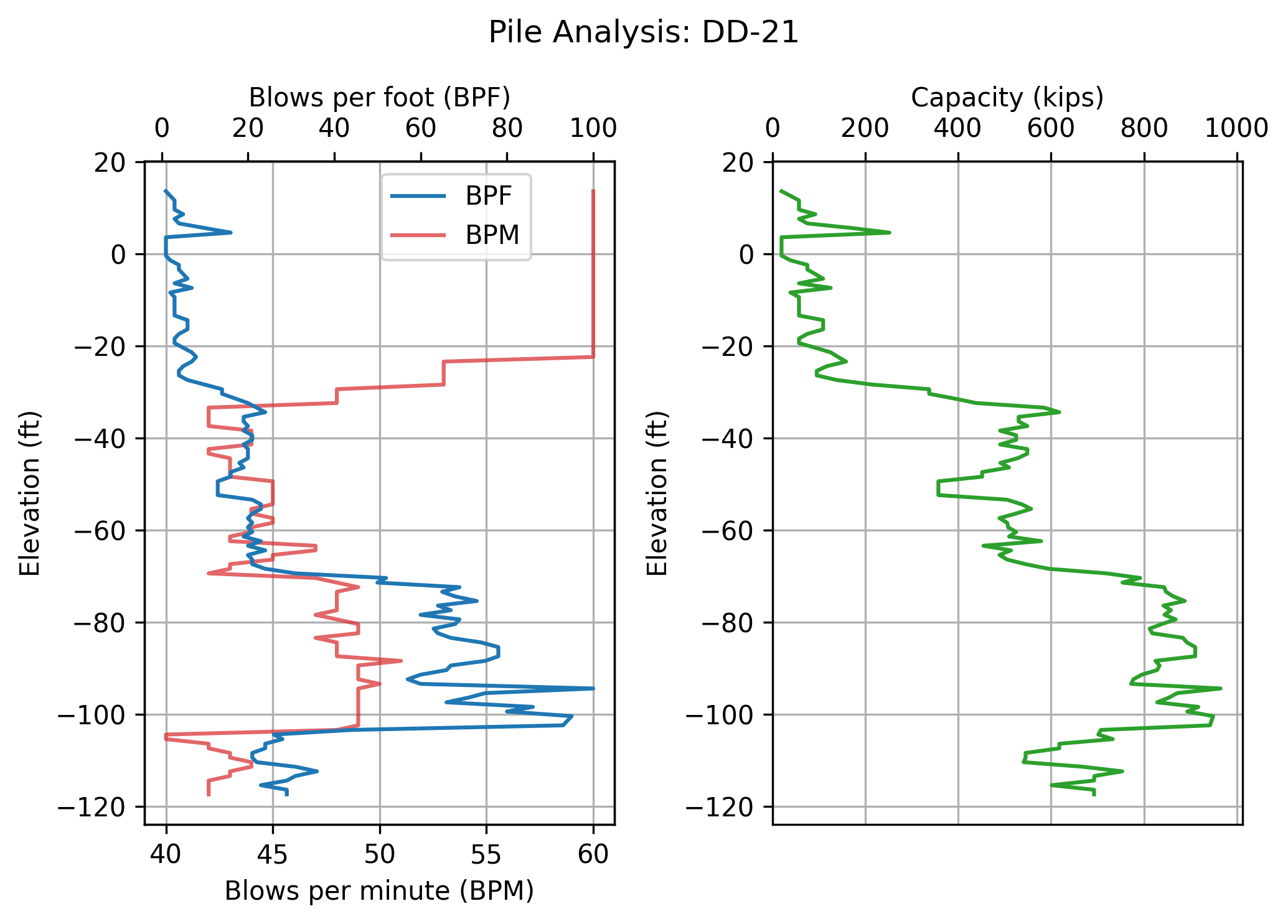
pile_plot(pile_id, elevation, bpm, bpf, q)
Pile installation summary
----------------------------------------
Pile ID:              DD-21
Final tip elevation:   -117.4   feet
Pile capacity:          693     kips
----------------------------------------
Editable, pre-defined Python variables in your notebook
# Select the pile-driving log file to analyze
log_file = "pile_log_DD-21.csv"  # Change this to analyze a different pile

# Analysis parameters
hammer_weight=10_000 # (lbs)
hammer_efficiency=0.5
pile_length=150 # (feet)
pile_area=500
modulus=10_000_000
summary=True

# Select the pile-driving log file to analyze
log_file = "pile_log_DD-21.csv"  # Change this to analyze a different pile

# Run the analysis and display results
pile_id, elevation, bpm, bpf, q = run_analysis(
    log_file,
    hammer_weight=hammer_weight,
    hammer_efficiency=0.5,
    pile_length=hammer_efficiency,
    pile_area=pile_length,
    modulus=modulus,
    summary=summary,
)
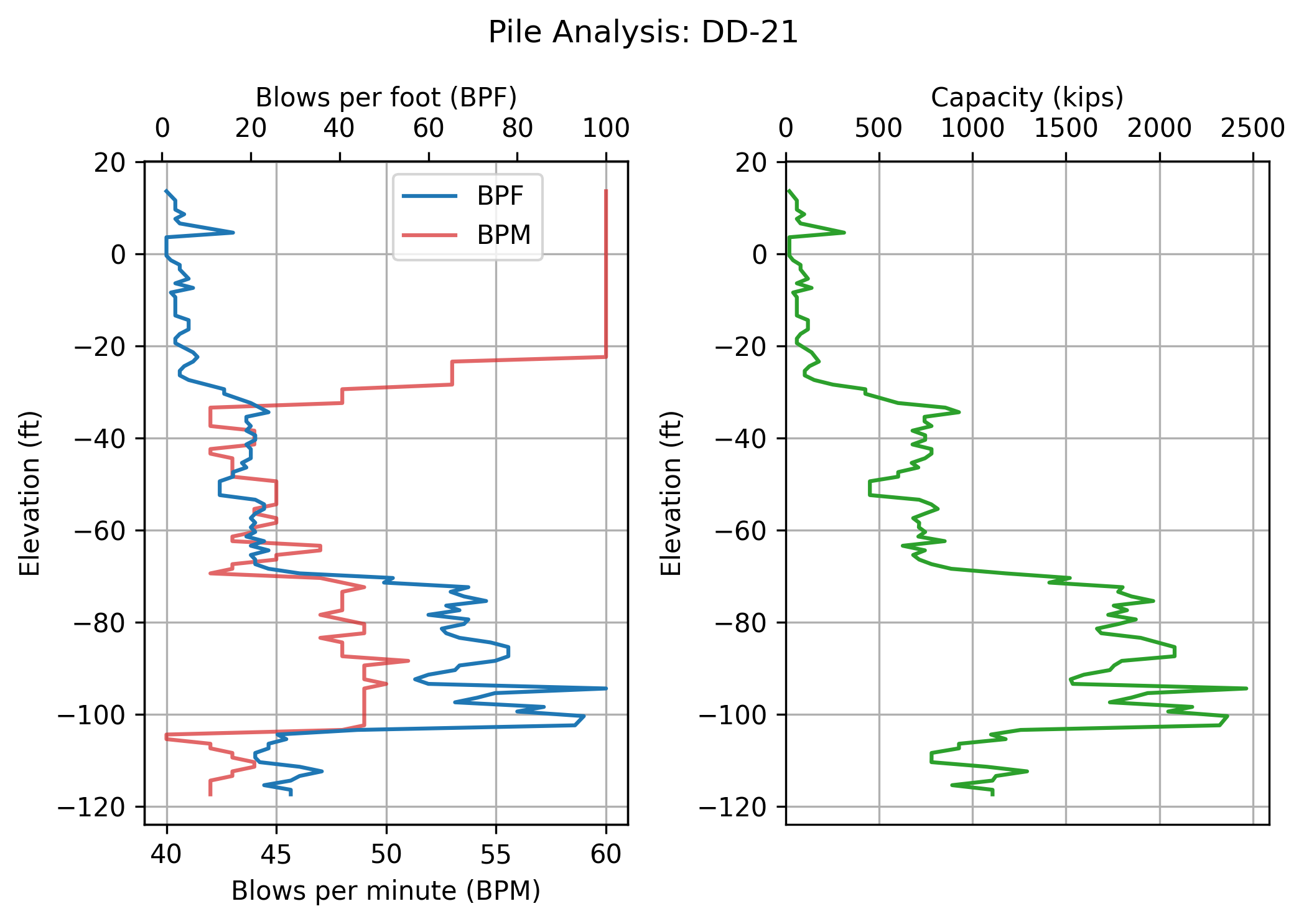
pile_plot(pile_id, elevation, bpm, bpf, q)
Pile installation summary
----------------------------------------
Pile ID:              DD-21
Final tip elevation:   -117.4   feet
Pile capacity:         1107     kips
----------------------------------------
Configuration file
# import configuration parameters
import config as cf

cf.print_params(cf)
# Select the pile-driving log file to analyze
log_file = "pile_log_DD-21.csv" # Change this to analyze a different pile
# Run the analysis and display results
pile_id, elevation, bpm, bpf, q = run_analysis(
log_file,
hammer_weight=cf.hw,
hammer_efficiency=cf.he,
pile_length=cf.plen,
pile_area=cf.pa,
modulus=cf.mod,
summary=cf.summary,
)
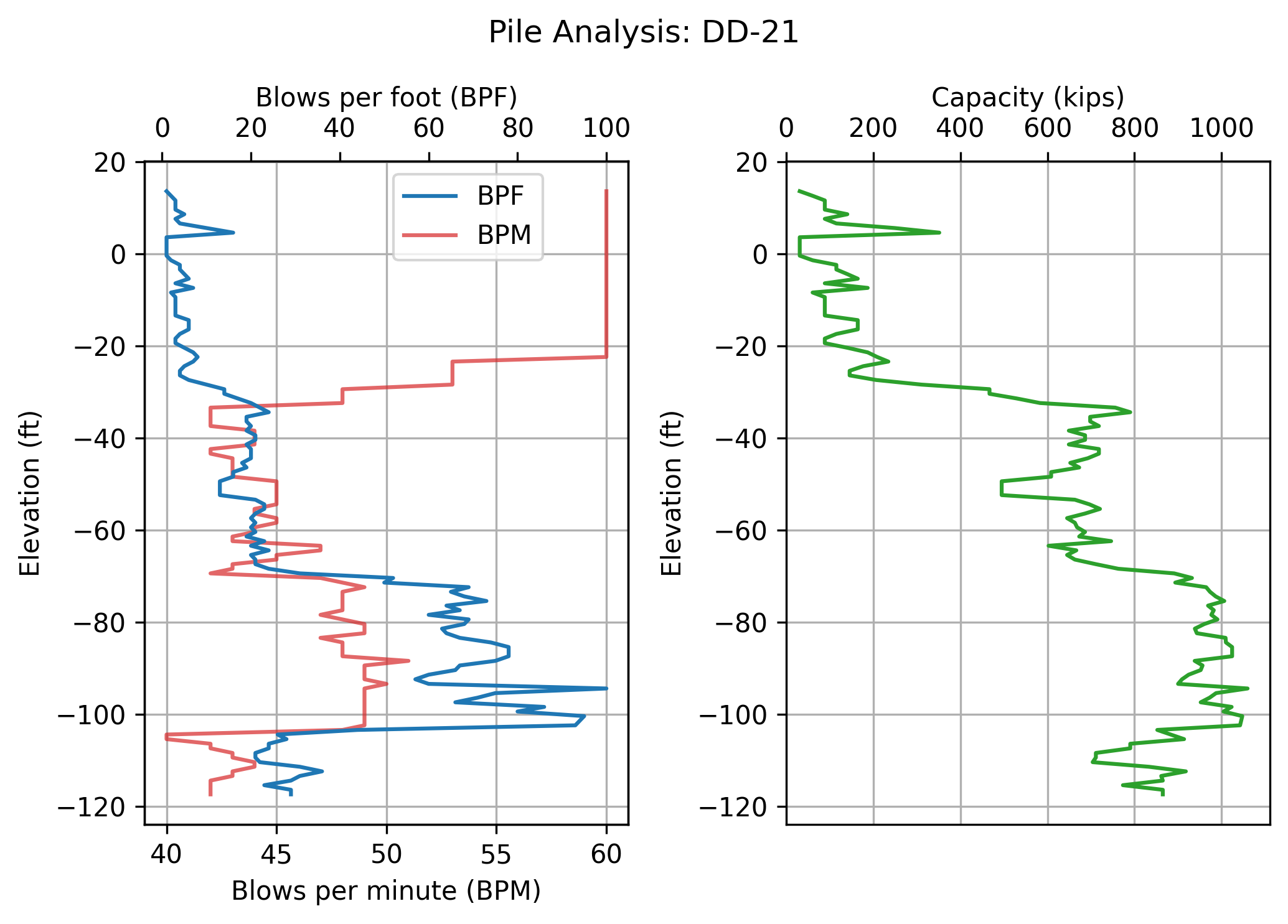
pile_plot(pile_id, elevation, bpm, bpf, q)
Pile installation summary
----------------------------------------
Pile ID:              DD-21
Final tip elevation:   -117.4   feet
Pile capacity:          865     kips
----------------------------------------
Configuration dictionary
Dictionary > A dictionary is Python’s built-in mapping type that stores data as key-value pairs. Think of it like a real dictionary where you look up a word (the key) to find its definition (the value). Unlike lists that use numeric indices, dictionaries let you access values using meaningful names.
config_dict = {
    "hammer_weight": 30_000,
    "hammer_efficiency": 0.4,
    "pile_length": 150,
    "pile_area":477,
    "modulus": 6_000_000,
    "summary":True,
    }
# Select the pile-driving log file to analyze
log_file = "pile_log_DD-21.csv" # Change this to analyze a different pile
# Run the analysis and display results
pile_id, elevation, bpm, bpf, q = run_analysis(log_file,**config_dict)
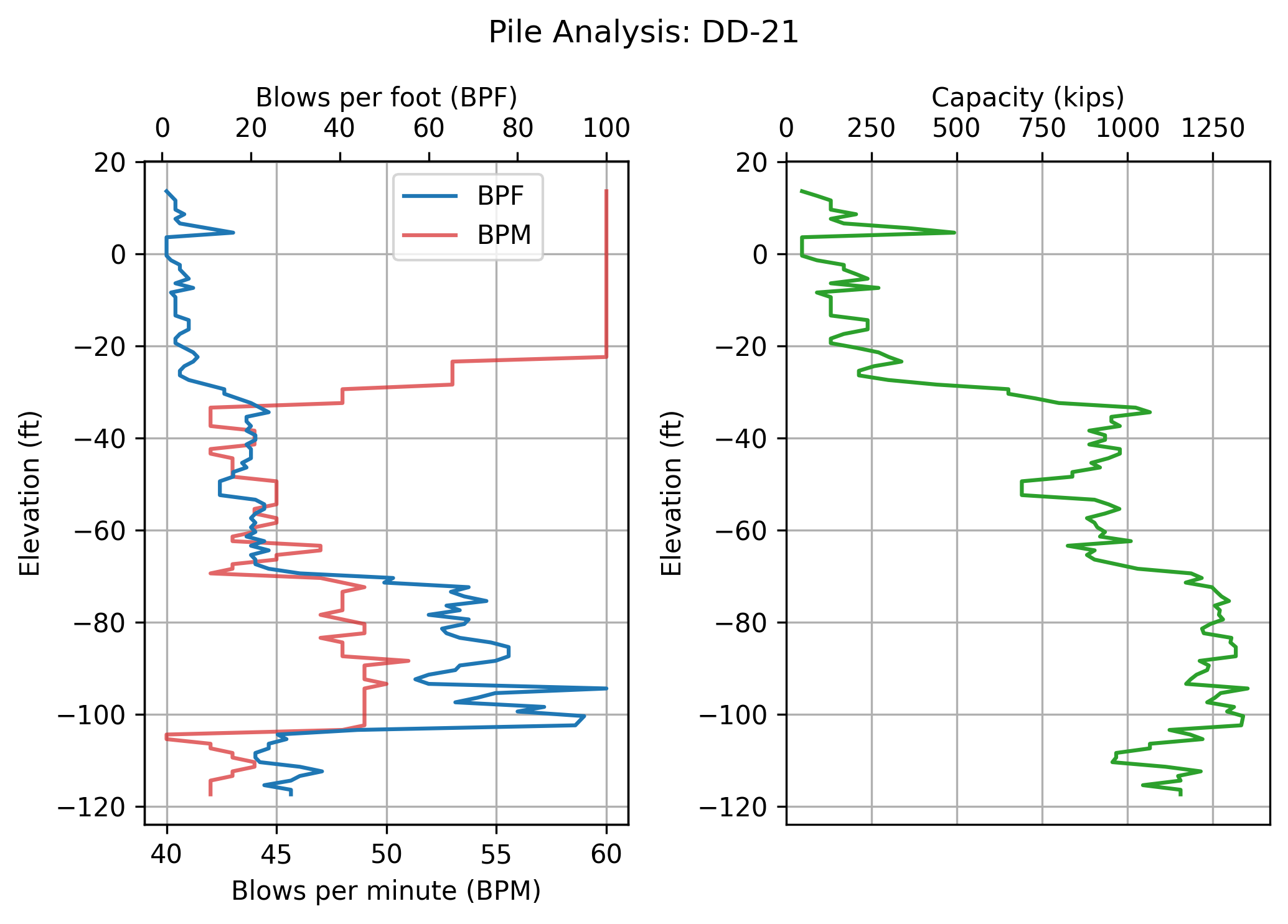
pile_plot(pile_id, elevation, bpm, bpf, q)
Pile installation summary
----------------------------------------
Pile ID:              DD-21
Final tip elevation:   -117.4   feet
Pile capacity:         1155     kips
----------------------------------------
Hard-coding parameter values in your support code
import pile_driving_bad as pdbad# Select the pile-driving log file to analyze
log_file = "pile_log_DD-21.csv" # Change this to analyze a different pile
# Run the analysis and display results
pile_id, elevation, bpm, bpf, q = pdbad.run_analysis(
hammer_weight=10_000,
hammer_efficiency=0.5,
pile_length=150,
pile_area=500,
modulus=10_000_000,
summary=True,
)
pdbad.pile_plot(pile_id, elevation, bpm, bpf, q)
Pile installation summary
----------------------------------------
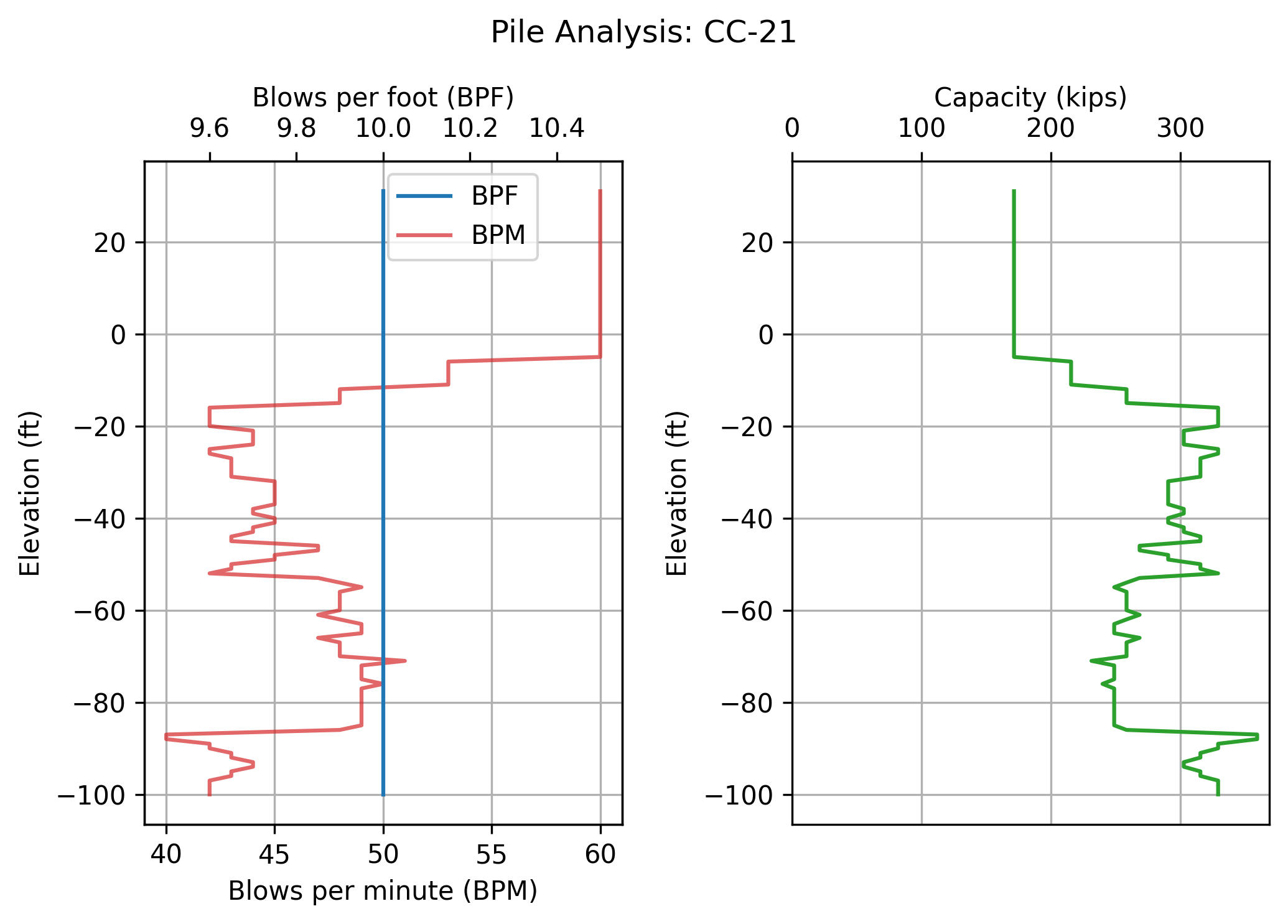
Pile ID:              CC-21
Final tip elevation:   -100.0   feet
Pile capacity:          329     kips
----------------------------------------