Arrays

TME 310 - Computational Physical Modeling

Lorne Arnold, PhD, PE

University of Washington Tacoma

Arrays vs. lists

Lists

List contents

Recall that lists are ordered collections of objects:

my_list = [1, 2, "three", 4, False]
print("A)", my_list[0])
print("B)", my_list[-1])
print("C)", my_list[1:3])
A) 1
B) False
C) [2, 'three']

Lists can contain mixed data types

Working with lists

Performing operations on lists happens one element at a time

x = [1, 2, 3, 4, 5, 6, 7, 8, 9]
y = []
for x_value in x:
  y_value = x_value ** 2
  y.append(y_value)

A mixed type issue

Even though lists can contain mixed data types, not every operation we do will work with every data type

x = [1, 2, 3, 4, 5, 6, 7, 8, "nine"]  <--- mixed data types
y = []
for x_value in x:
  y_value = x_value ** 2              <--- will cause a problem here
  y.append(y_value)
  Cell In[2], line 1
    x = [1, 2, 3, 4, 5, 6, 7, 8, "nine"]  <--- mixed data types
                                                     ^
SyntaxError: invalid syntax

Arrays

Arrays with Numpy

Like Matplotlib, Numpy is an external library that we can import and use in Python:

import numpy as np

Numpy allows us to create n-dimensional arrays.

  • 1-D arrays (aka “vectors”)
  • 2-D and higher (aka “matrices”)

But for today, just 1-D

Creating arrays from lists

Numpy arrays can be created from lists using the numpy.array() function. Numpy will automatically convert data into compatible dtypes if possible.

import numpy as np
list_a = [1, 2, 3, 4, 5]       # <--- all integers
list_b = [6, 7, 8, 9, 10.]     # <--- mixed int/float
array_a = np.array(list_a)
array_b = np.array(list_b)
print(array_a, array_a.dtype)  # <--- all integers
print(array_b, array_b.dtype)  # <--- all floats
[1 2 3 4 5] int64
[ 6.  7.  8.  9. 10.] float64

Other ways to create arrays

Numpy has built in functions to create arrays:

import numpy as np
# np.linspace(start, stop, number of points)
x = np.linspace(0,100,6)
# np.zeros(number of points) and np.ones(number of points)
y = np.zeros(4)
z = np.ones(5)
print(f" x: {x}\n",f"y: {y}\n",f"z: {z}")
 x: [  0.  20.  40.  60.  80. 100.]
 y: [0. 0. 0. 0.]
 z: [1. 1. 1. 1. 1.]

Array contents

We can access array contents via indexing just like lists:

x: [  0.  20.  40.  60.  80. 100.] <--- defined on previous slide
# Get the first element of x:
x[0]
np.float64(0.0)
# Get the last element of x:
x[-1]
np.float64(100.0)
# Get a slice of x from the second to the fourth element
x[1:5]  # <--- Notice the ending index in a slice is NOT inclusive
array([20., 40., 60., 80.])

Working with arrays

Unlike lists, we can perform operations on entire arrays at once.

########## List version #########
x = [1, 2, 3, 4, 5, 6, 7, 8, 9]
y = []
for x_value in x:
  y_value = x_value ** 2
  y.append(y_value)
  
######### Array version #########
x_arr = np.array(x)
y_arr = x_arr ** 2
print(f"y_arr: {y_arr}")
y_arr: [ 1  4  9 16 25 36 49 64 81]

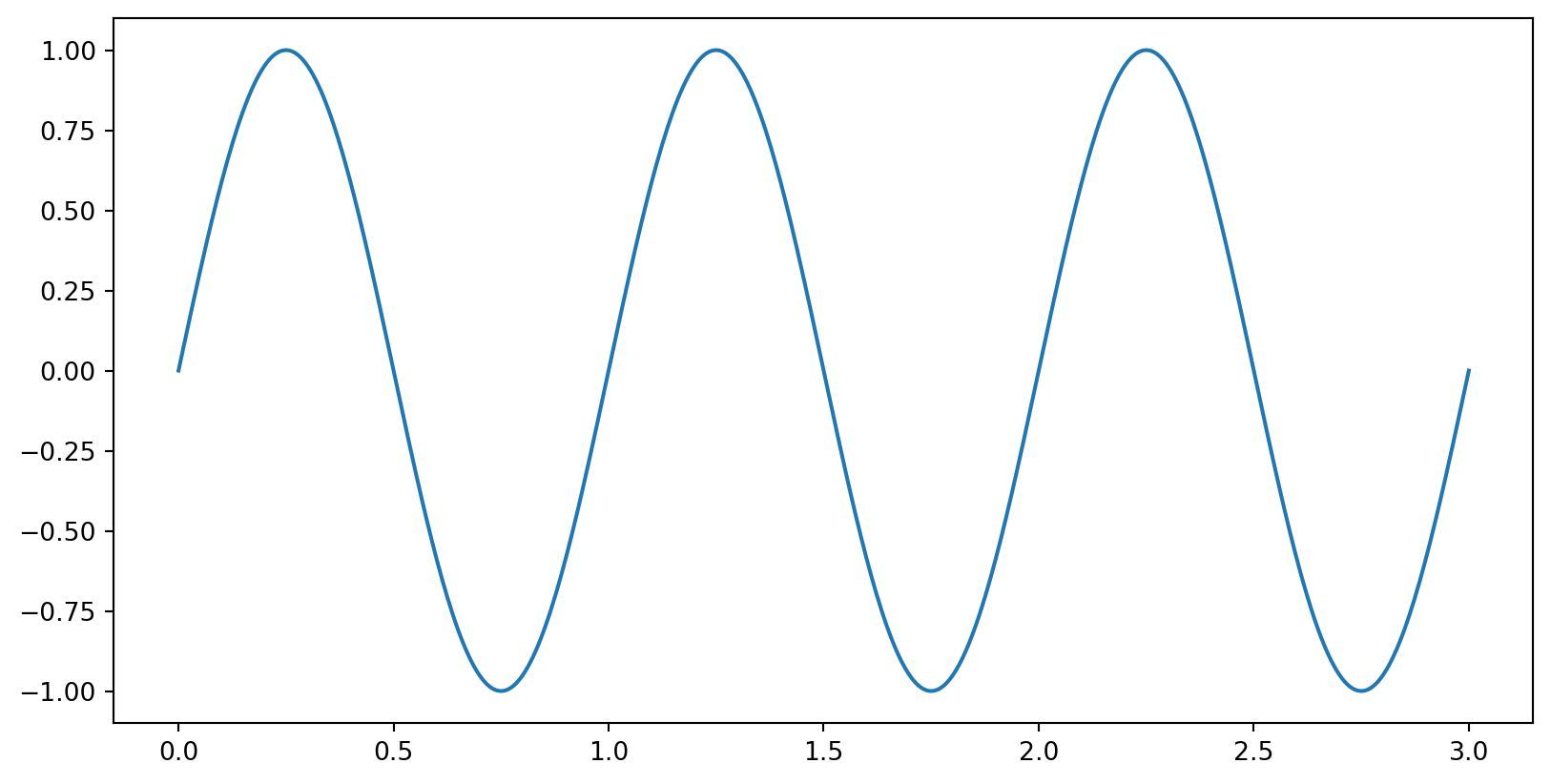
import matplotlib.pyplot as plt 
import numpy as np
time = np.linspace(0, 3, 500)
amplitude = np.sin(2 * np.pi * time)
plt.plot(time, amplitude)